Following Manager
The Following Manager module is used to copy orders or positions from a Provider account to one or more Follower accounts. All accounts must be connected within the ATAS platform.
To open the module, select Home → Following Manager in the main platform window.
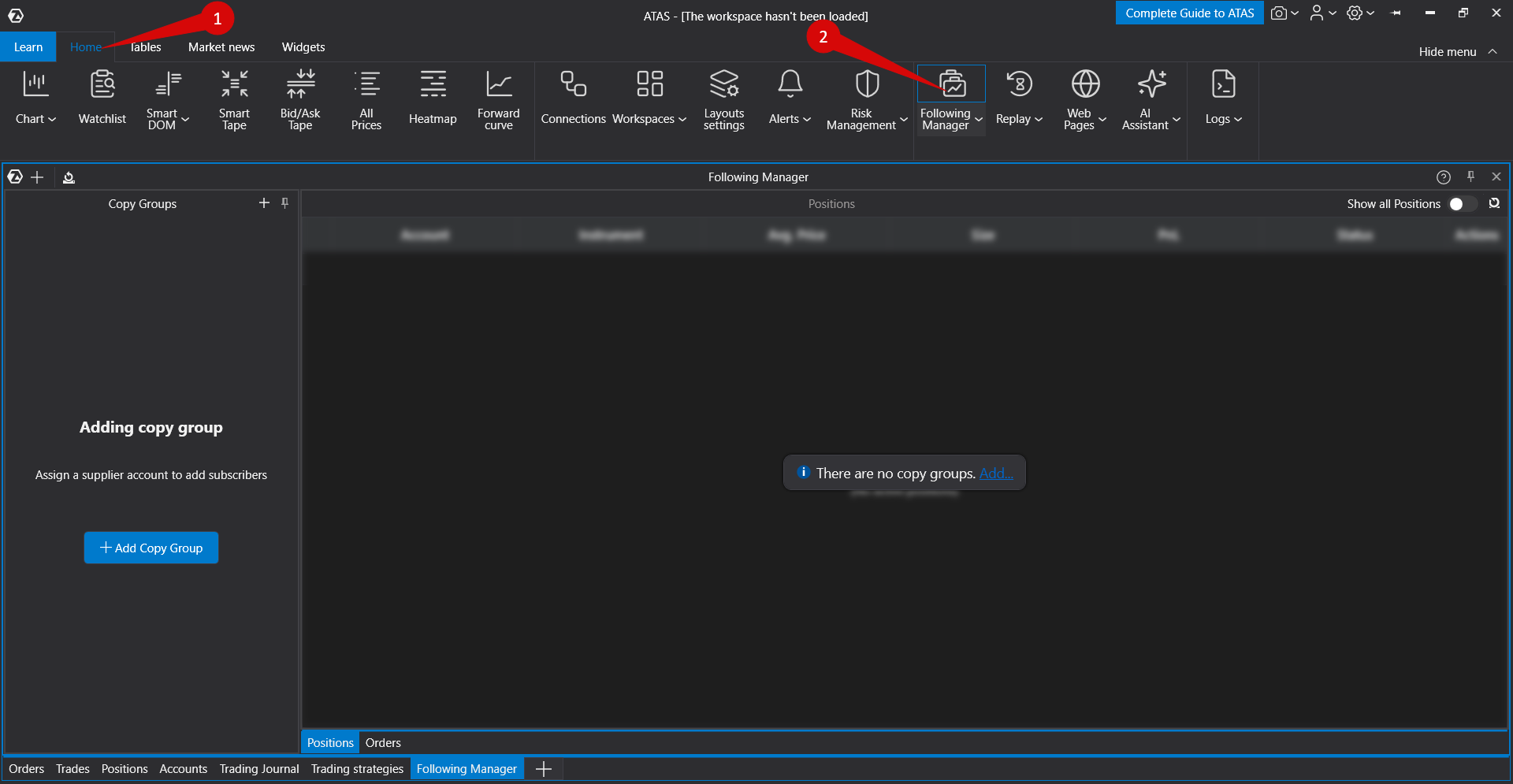
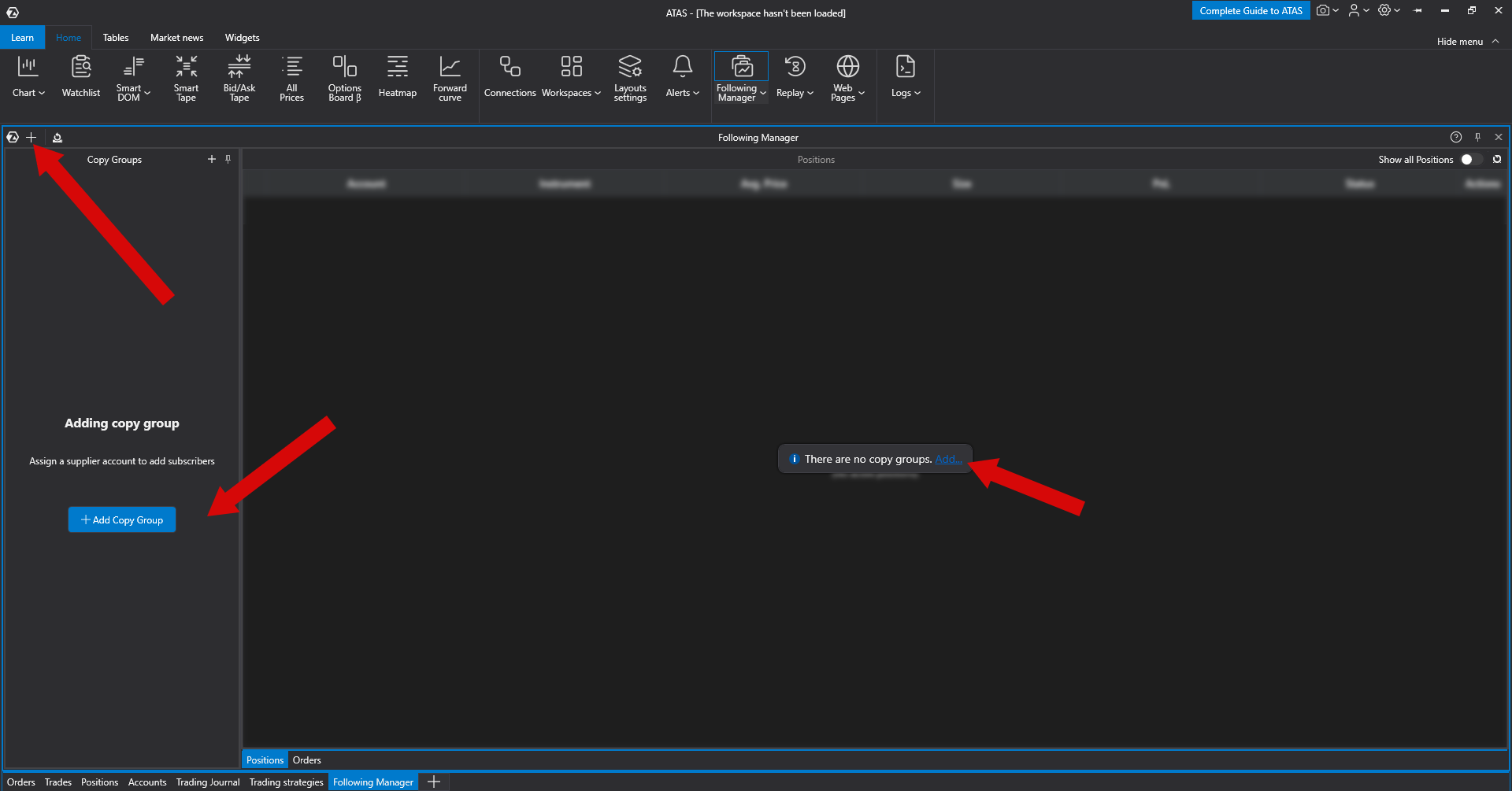
To begin, create a copy group using one of the available methods.
The copy group configuration window consists of three sections.
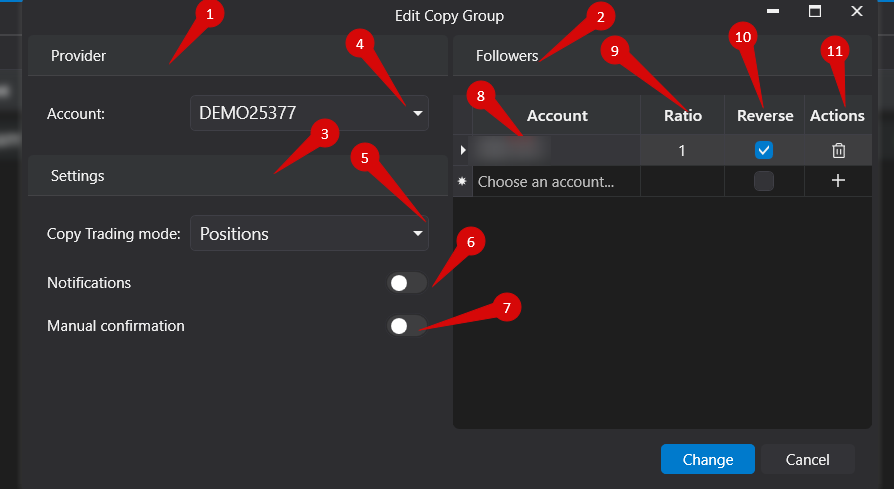
- Provider — select the account from which orders or positions will be copied.
- Followers — select the accounts that will receive copied orders or positions.
- Settings — configure the copying mode and additional options.
Copying Modes
Following Manager supports two copying modes.
- Positions — only positions are copied. Pending and working orders are not copied. When a position is opened on the Provider account, the same position is opened on follower accounts using market orders.
- Orders — all orders and related actions are copied, including order placement, modification, and cancellation. Any manual actions performed on follower accounts are ignored, and synchronization continues according to the Provider account.
Additional Settings
Notifications — enables or disables pop-up notifications for copied orders and positions.
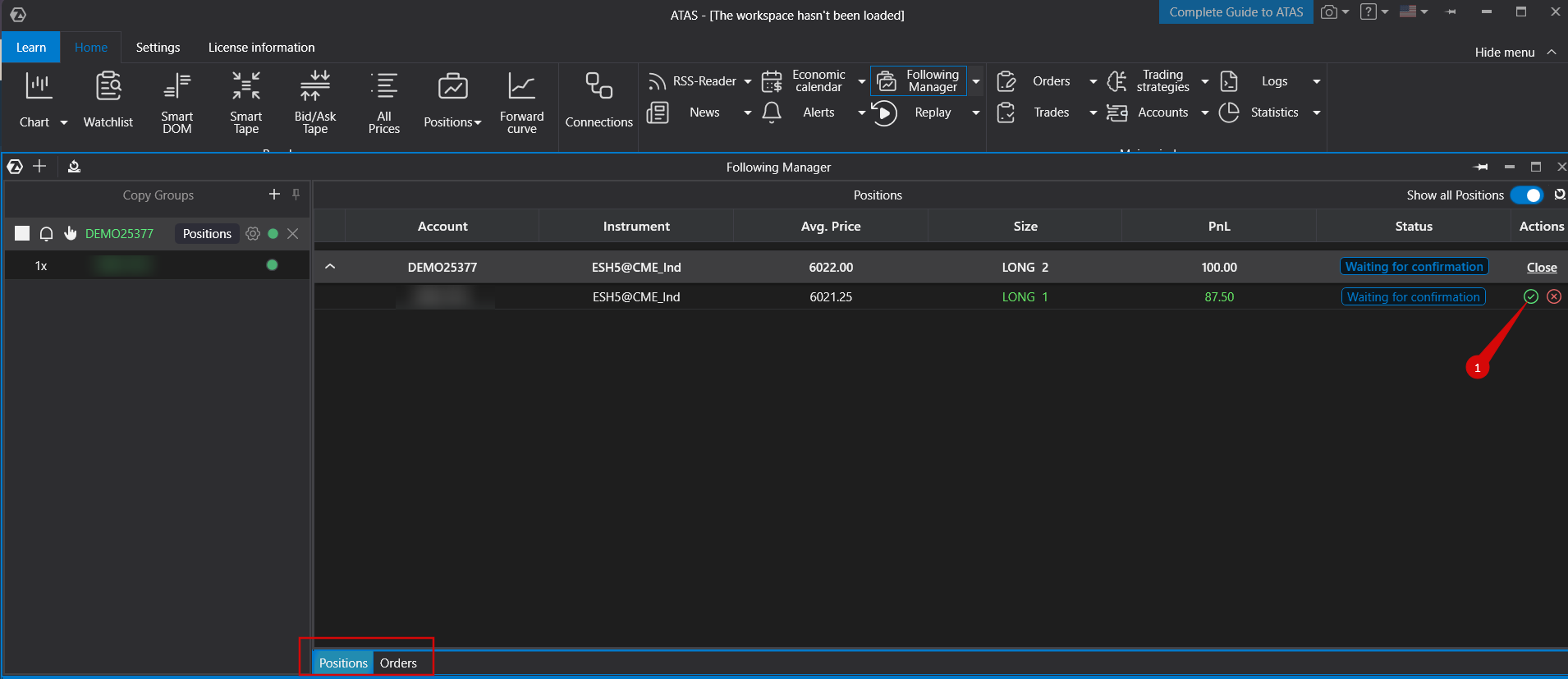
Manual Confirmation — requires manual approval of copied orders or positions before execution.
Ratio — defines the volume multiplier applied to follower accounts. For example, if the ratio is set to 2 and the Provider account buys 1 contract, each follower account will buy 2 contracts.
Reverse — reverses the direction of copied trades. Buy orders become sell orders, and sell orders become buy orders on follower accounts.
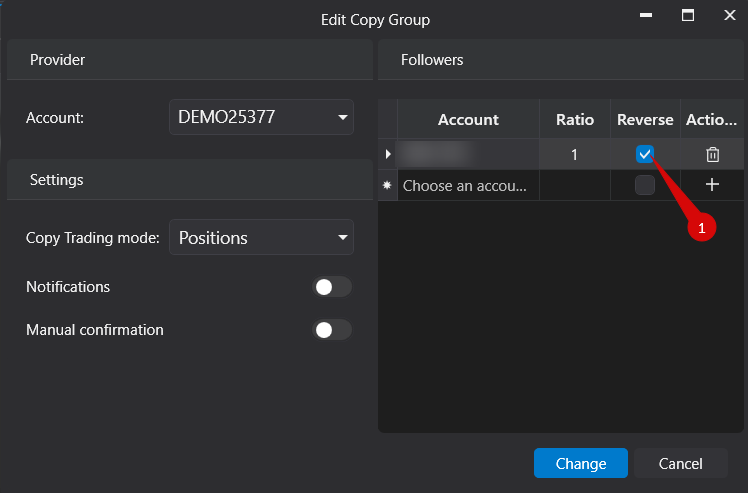
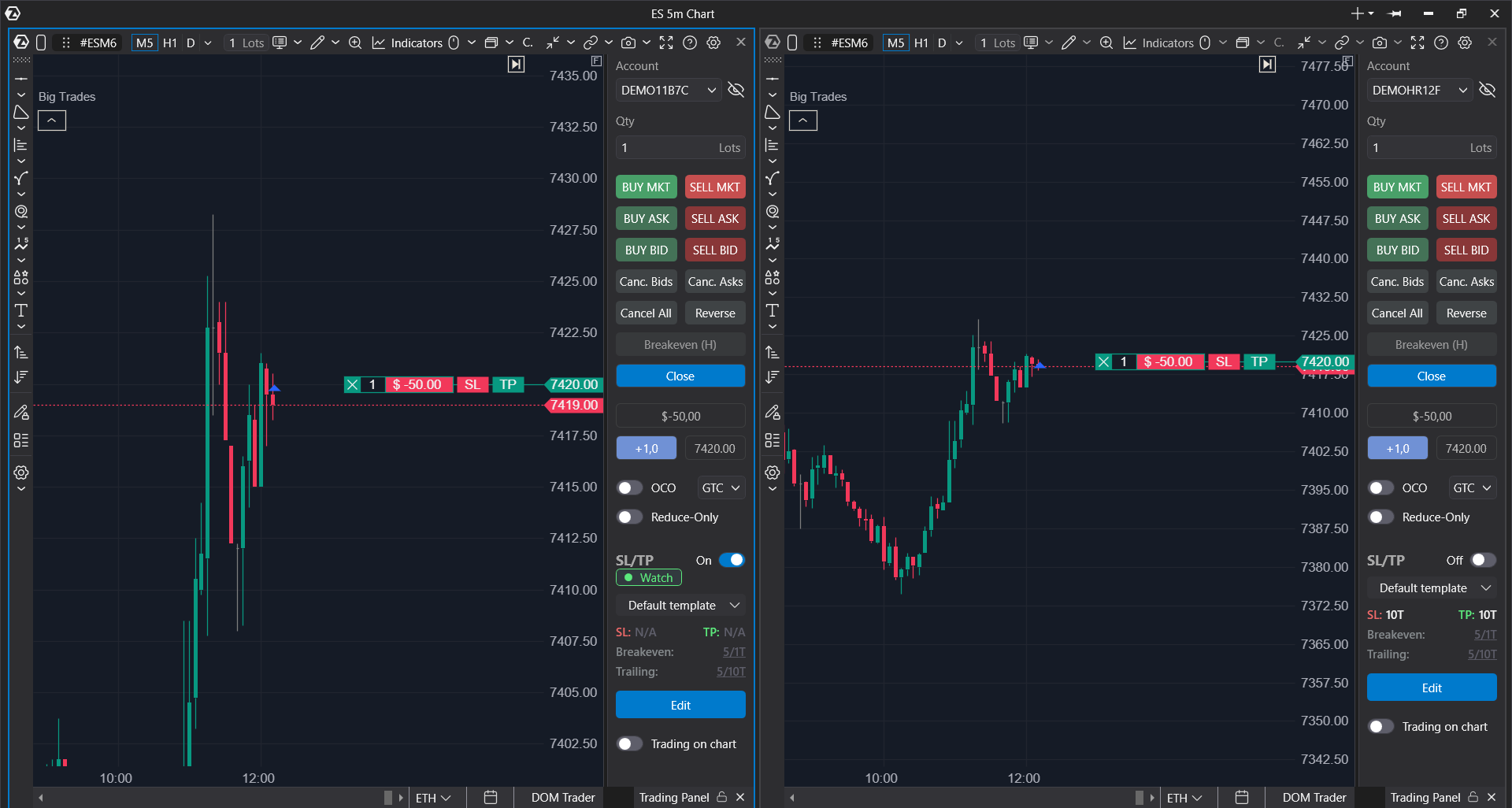
Actions — remove a follower account using the delete button or add a new follower account using the + button.
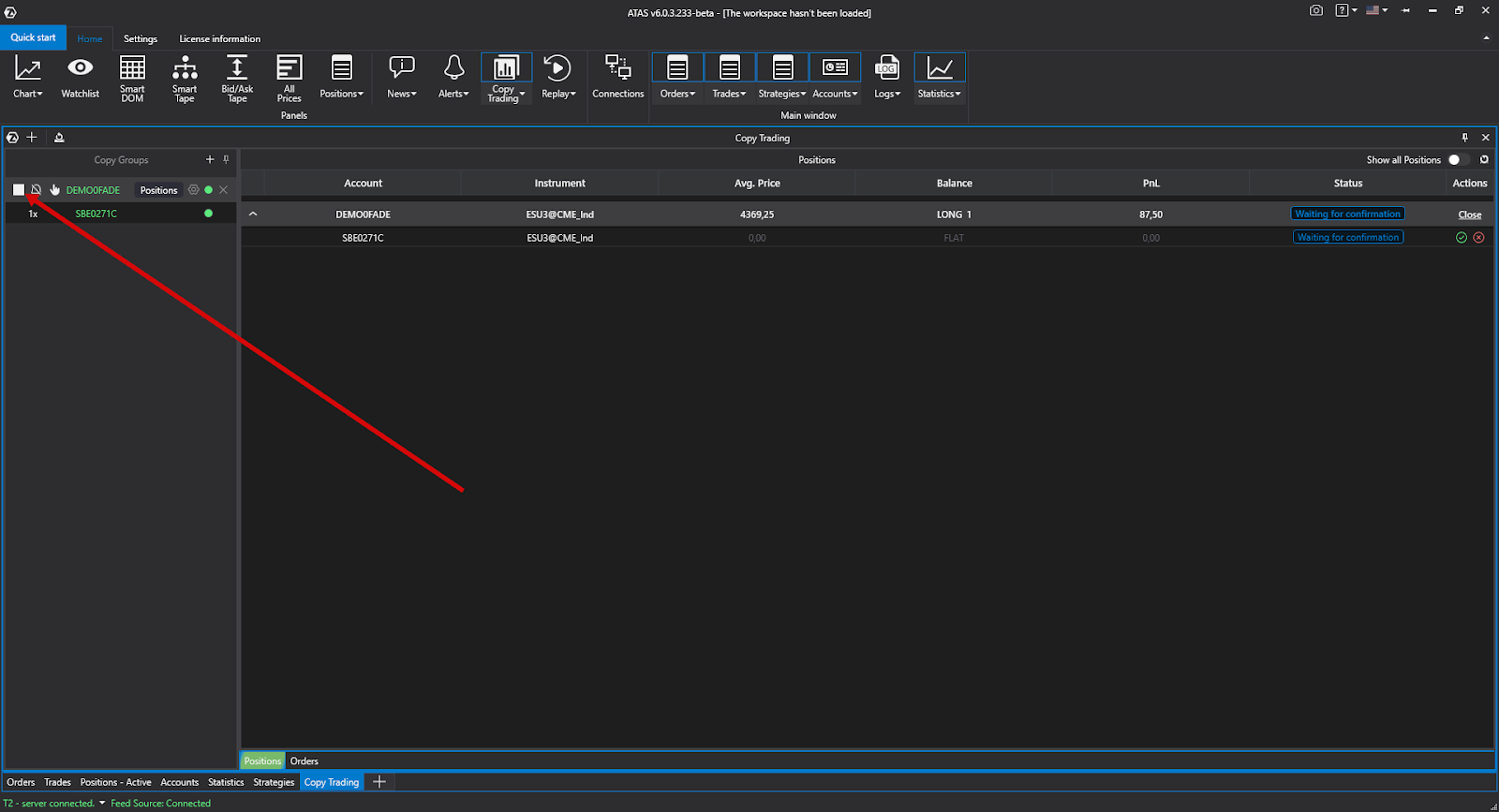
After creating a copy group, copying can be started or stopped at any time using the corresponding control button.
Examples
Positions Mode
- A pending order placed on the Provider account is not copied to follower accounts. This is expected behavior.
- When a pending order is executed and opens a position on the Provider account, the same position is opened on follower accounts.
Entry prices may differ because follower positions are opened using market orders and may be affected by slippage. If an execution error is returned by the connector, synchronization will not occur.
Orders Mode
- If the Provider account already has an open position while the follower account does not, enabling copying in Orders mode will not synchronize existing positions because only orders are copied.
- If the Provider modifies a pending order, the modification is processed as cancellation of the existing order and placement of a new one. Under certain market conditions, the original follower order may be executed before the replacement order is received, which can result in different positions between Provider and Follower accounts. This is expected behavior in Orders mode.
Was this article helpful?
That’s Great!
Thank you for your feedback
Sorry! We couldn't be helpful
Thank you for your feedback
Feedback sent
We appreciate your effort and will try to fix the article