The Instruments Manager contains a list of all instruments available in the ATAS platform. This window allows you to manage available trading instruments, including adding and removing instruments from your Favorites list.
How to Open Instruments Manager
The Instruments Manager can be opened using one of the following methods:
Method 1
In the main ATAS window, click on one of the modules to open the Instruments Manager.
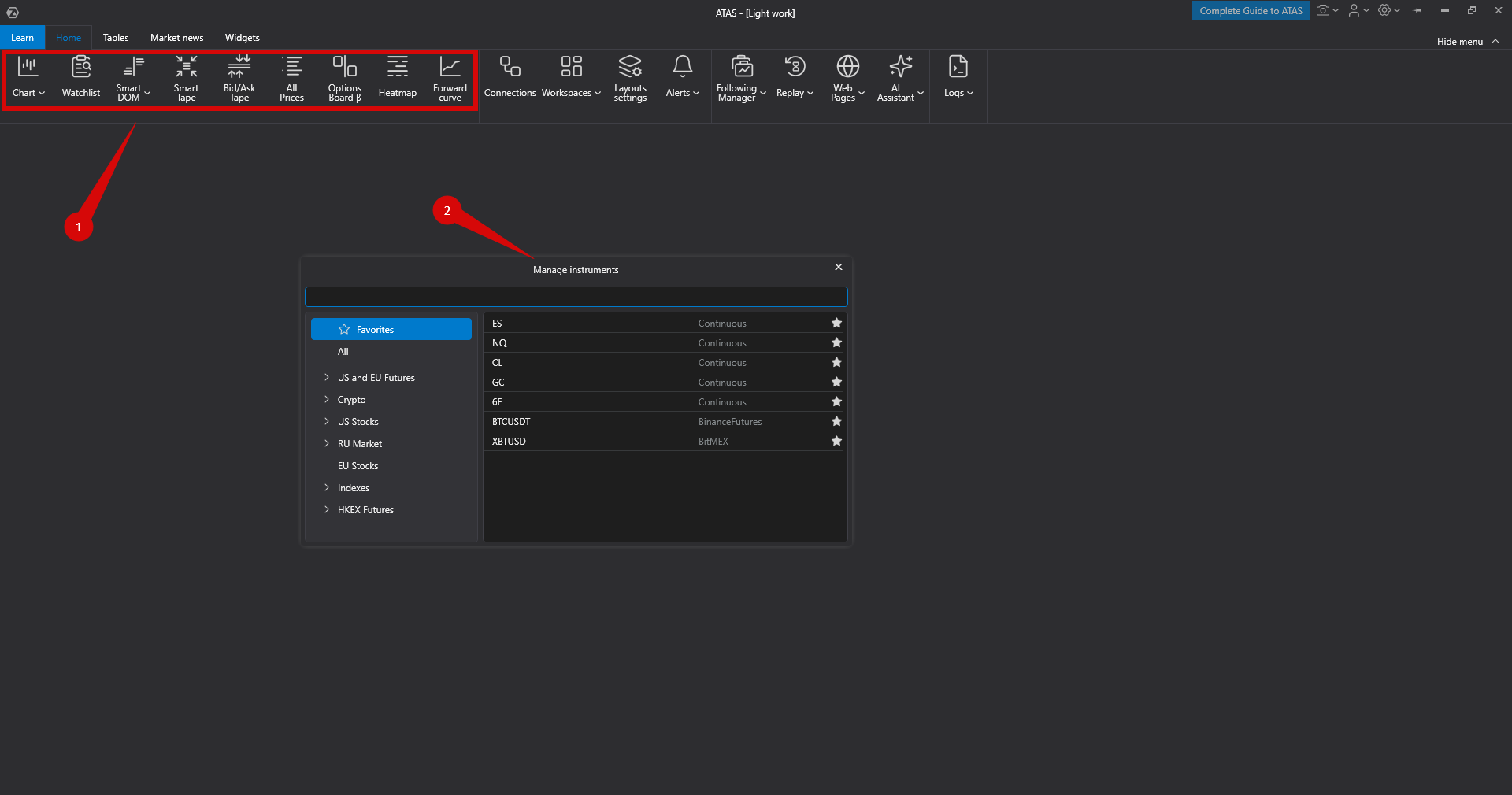
Method 2
Use the Change Instrument option located on the toolbar or in the context menu of supported platform windows.
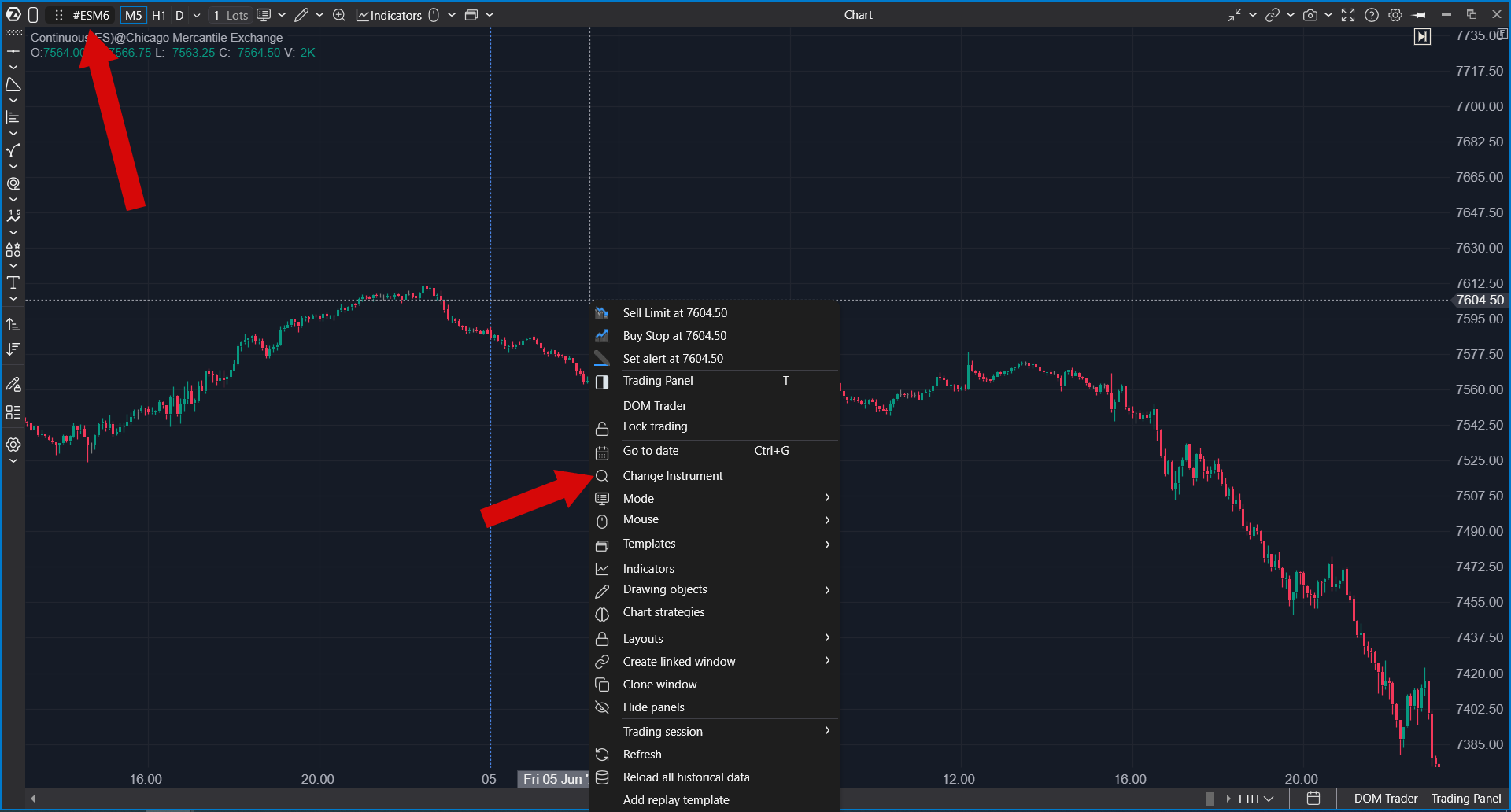
This will open the Instruments Manager window.
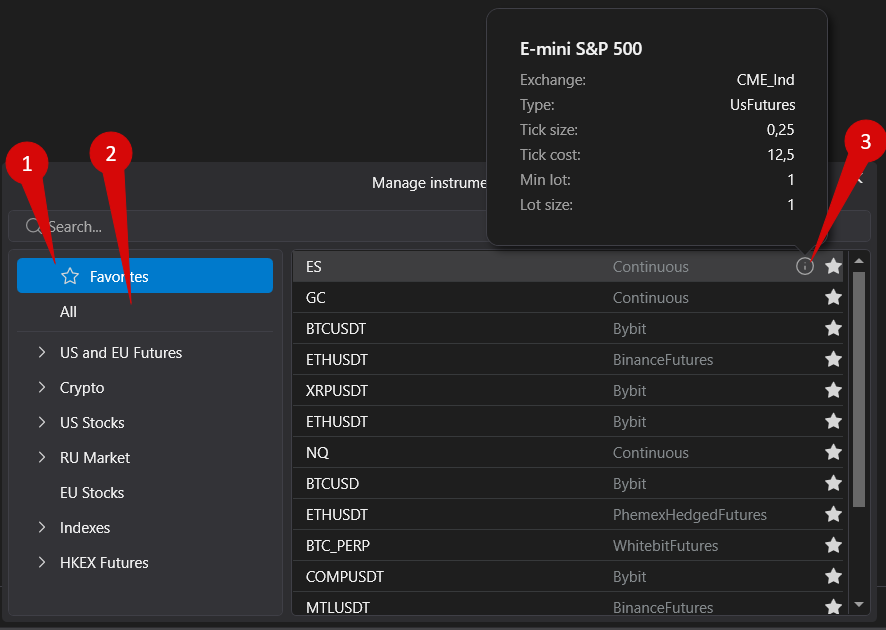
Window Description
- Favorites — contains the instruments selected for trading.
- All — contains all available instruments.
- Info — displays information about the selected instrument.
Selecting Contracts
You can choose either a specific contract or a Continuous contract.
For more information about Continuous contracts, see the article: What Is a Continuous Contract?
Adding Instruments to Favorites
To add an instrument to the Favorites tab, open the All tab and follow these steps:
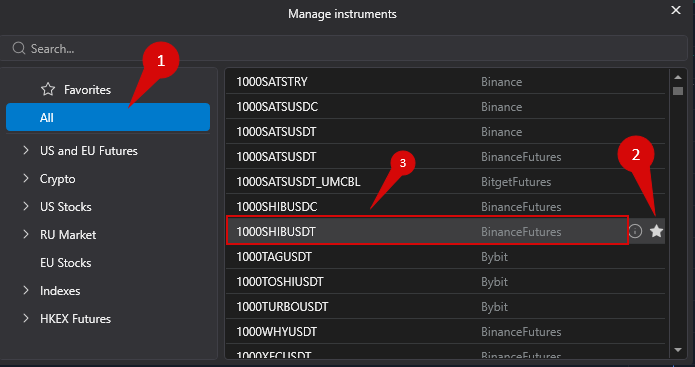
- Select the required instrument using the quick search field (if you know the instrument symbol) or by choosing it from the list of available instruments.
- Click Add to Favorites.
- If you want to open a chart for the selected instrument immediately, click on it.
Was this article helpful?
That’s Great!
Thank you for your feedback
Sorry! We couldn't be helpful
Thank you for your feedback
Feedback sent
We appreciate your effort and will try to fix the article