In this guide, you will learn how to import workspaces in the ATAS platform.
There are two ways to import workspaces:
- Import via the ATAS folder
- Import via the platform interface
Import via the ATAS Folder
The platform must be closed before using this method.
- Place the workspace file with the .ws extension into the folder:
C:\Users\USER\AppData\Roaming\ATAS\Workspaces_v3 - Launch the platform.
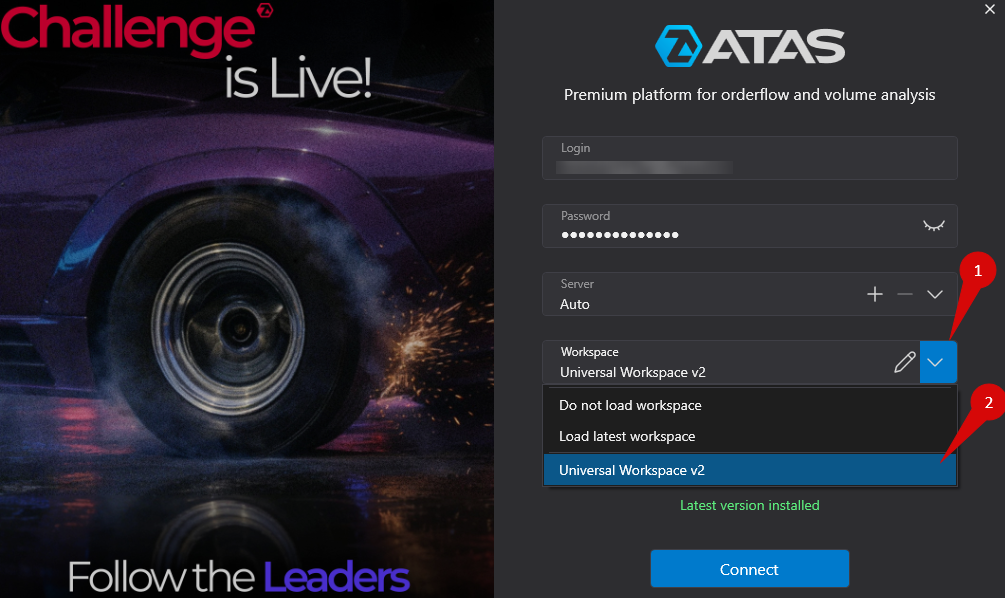
- Select the required workspace when starting the platform.
Import via the Platform
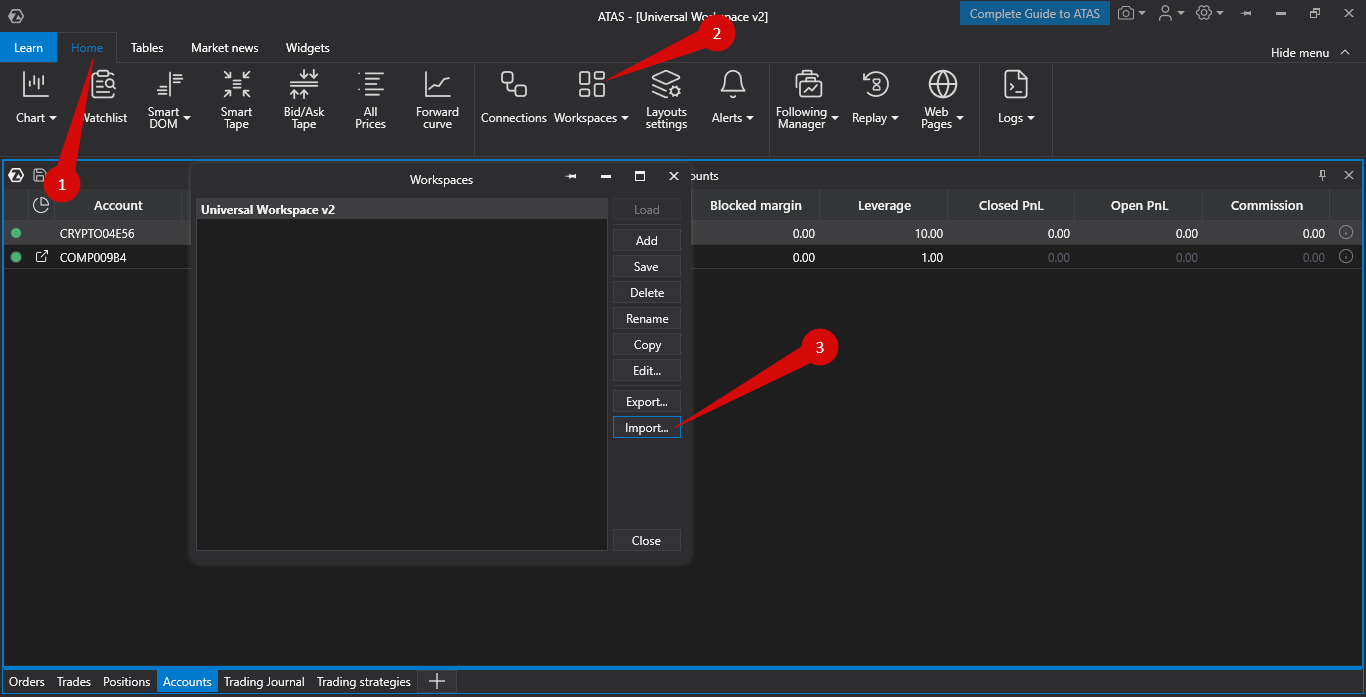
- In the main platform window, go to Workspaces → Import.
- Select the workspace file on your computer.
- After importing, the workspace will be available when launching the platform.
Was this article helpful?
That’s Great!
Thank you for your feedback
Sorry! We couldn't be helpful
Thank you for your feedback
Feedback sent
We appreciate your effort and will try to fix the article