Chart Strategies
Chart Strategies is a module designed for automated trading. Strategy parameters can be configured using the platform API. You can find more information about APIs and strategies here.
How to Add a Strategy to a Chart
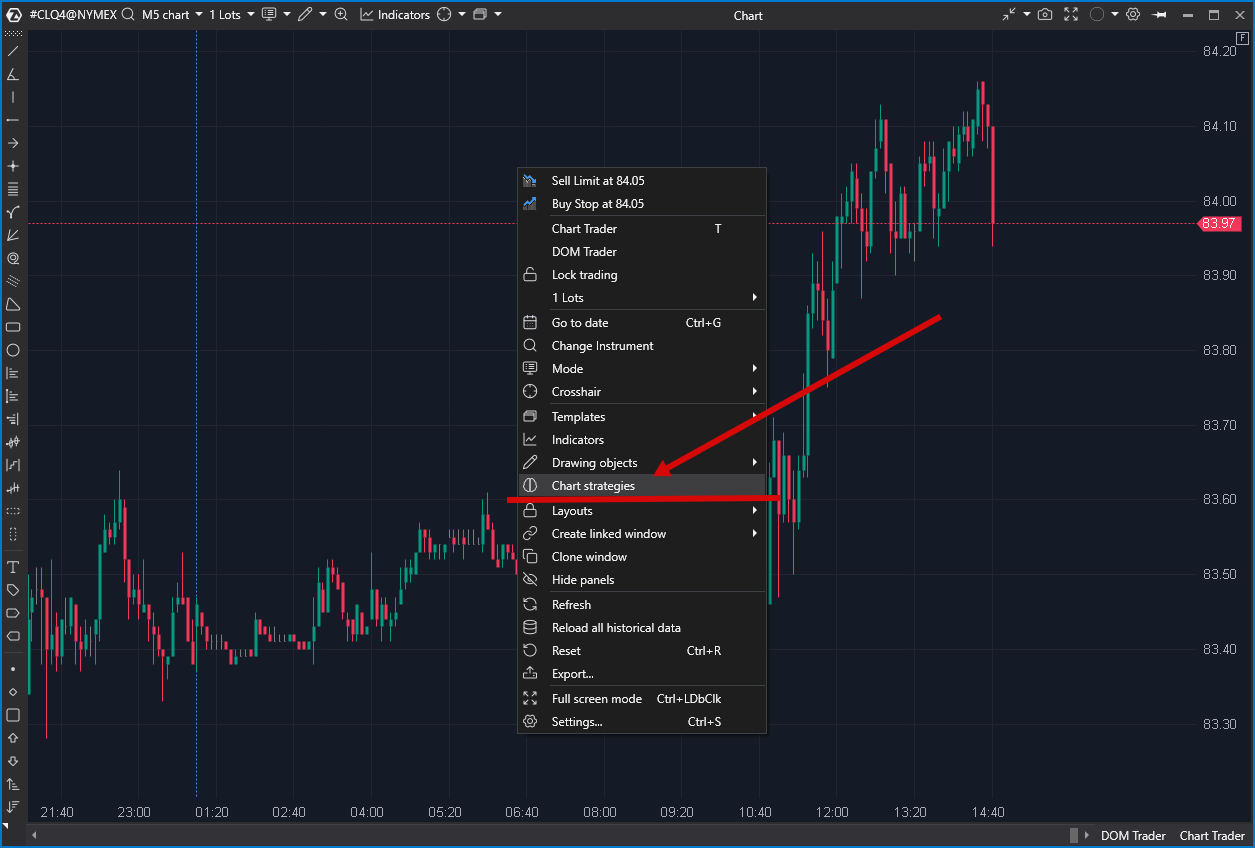
Open the chart context menu and select Chart Strategies.
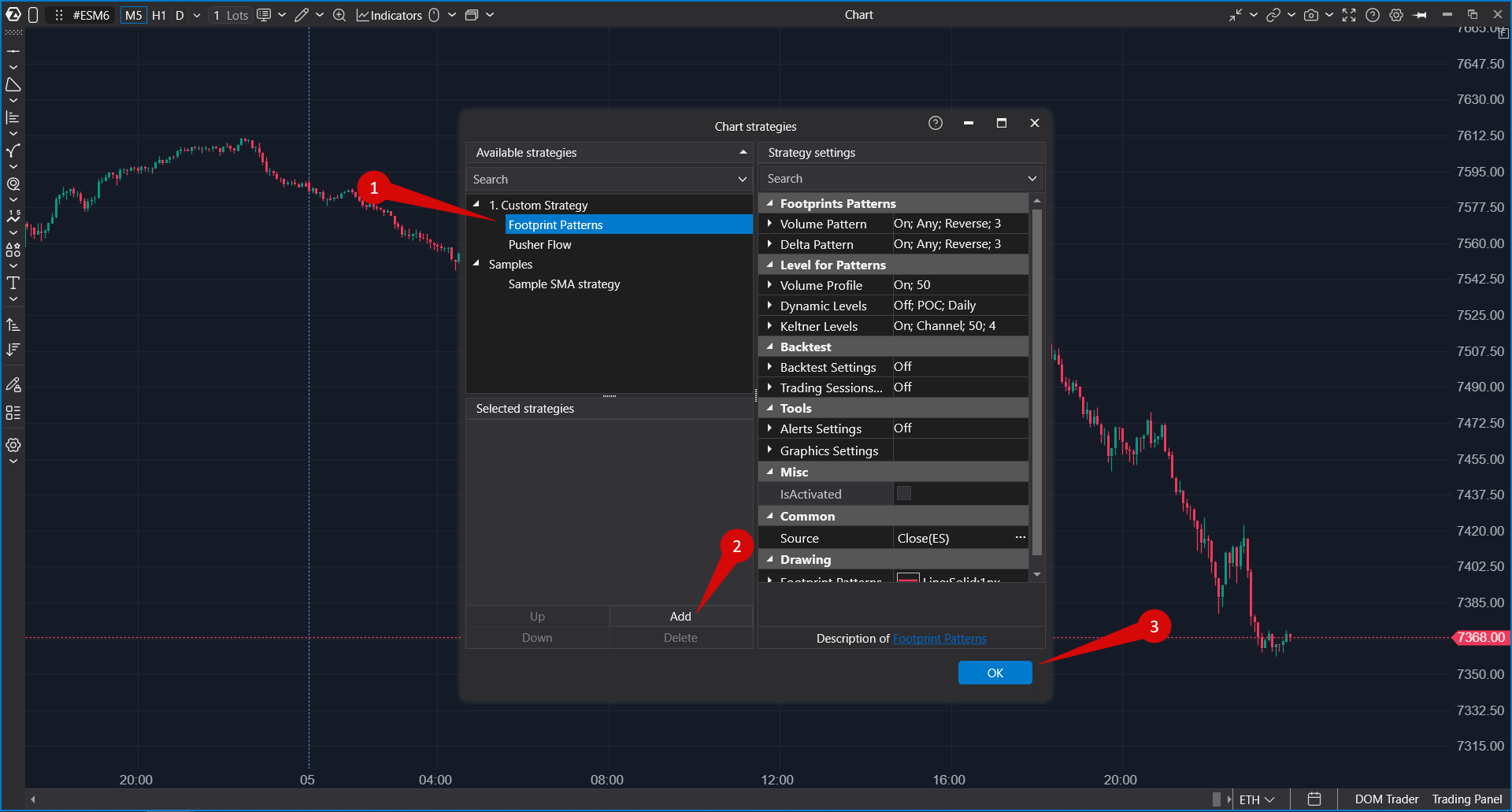
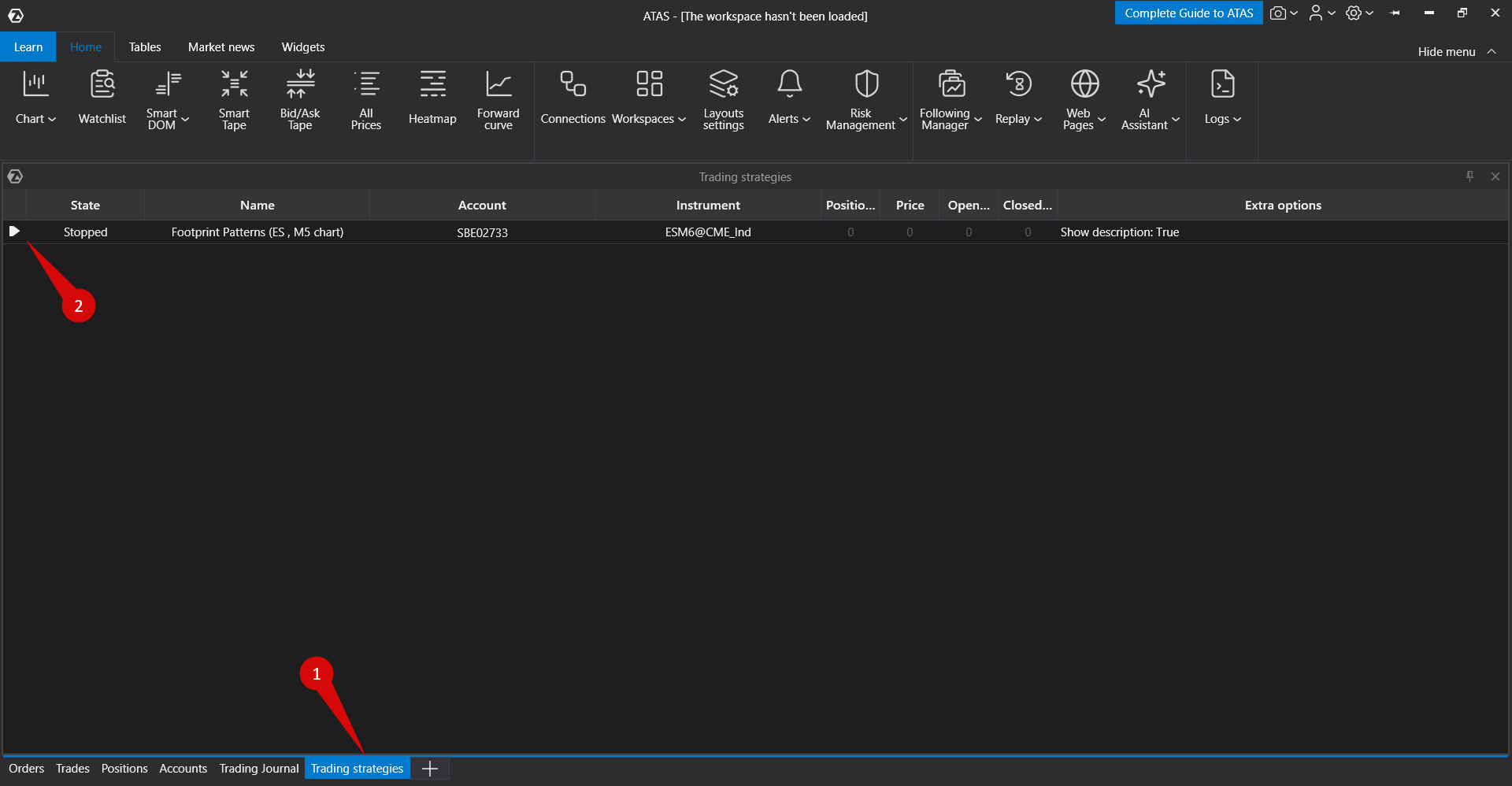
You can launch a strategy from the Chart Strategies window or through the main platform window in the Strategies section.
To add a strategy to the platform, place the strategy file in the Strategies folder. By default, this folder is located at:
C:\Users\Username\Documents\ATAS\Strategies
After placing the file in the folder, restart the platform.
To add a strategy to a chart, open the strategy settings window (indicated by the arrow in the screenshot above), select the desired strategy, and click Add.
Was this article helpful?
That’s Great!
Thank you for your feedback
Sorry! We couldn't be helpful
Thank you for your feedback
Feedback sent
We appreciate your effort and will try to fix the article